What players say
Pong Breaker offers a polished two-player experience that is easy to learn but hard to master. The simple controls and responsive paddles make each match engaging. Features like music toggles and ball respawn add convenience without clutter. The game has good replayability due to its competitive nature and quick rounds, making it suitable for casual play or longer sessions. It is a solid choice for fans of classic arcade games.
About this game
Game Introduction
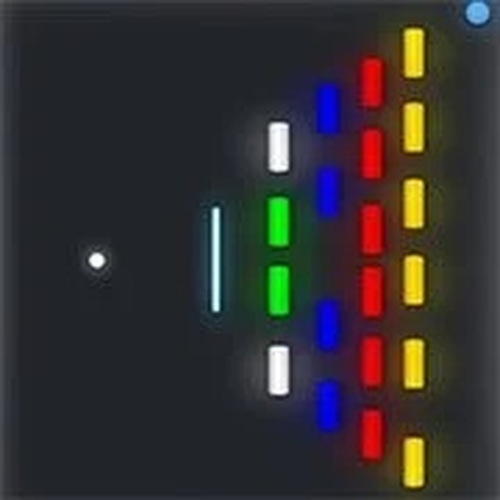
Pong Breaker is a modern take on the classic pong arcade game, designed for two players to compete head-to-head. The core objective is to score points by hitting a ball past your opponent's paddle, combining simple mechanics with vibrant visuals for an engaging experience. This game offers a nostalgic yet fresh twist, making it accessible for players of all ages. With its focus on local multiplayer action, Pong Breaker brings back the timeless fun of arcade gaming in a colorful, easy-to-pick-up format.
How to Play
In Pong Breaker, two players control paddles on opposite sides of the screen. The blue player typically uses the up and down arrow keys to move their paddle, while the orange player uses the 'W' and 'S' keys. The goal is to hit the ball past your opponent's paddle to score points. Players can also use additional keys to manage the game experience, such as toggling music and sound effects, pausing the game, or respawning the ball. The simple controls make it easy for anyone to jump in and play immediately.
Game Features
Pong Breaker includes several convenient features: music and sound toggles allow players to customize audio settings, while a pause option lets you take breaks during play. A respawn ball function helps keep the game moving. The game boasts vibrant colors and clear visuals, making it easy to follow the action. As a two-player local game, it encourages friendly competition without the need for an internet connection. These features combine to create a polished and enjoyable arcade experience.
Tips for Success
To succeed in Pong Breaker, practice anticipating the ball's trajectory and positioning your paddle accordingly. Quick reflexes are key, so stay focused on the ball's movement. Communicate with your opponent to ensure fair play and enjoy the game. Experiment with different paddle speeds and angles to outmaneuver your opponent. Regular practice will help you improve your timing and reaction speed, making each match more competitive and fun.