What players say
Minesweeper Online stays true to the original while adding useful features like save progress and a level editor. The random map generation keeps each game fresh, and the vibrant graphics are easy on the eyes. It is a solid choice for fans of logic puzzles and a gentle introduction for new players. The game rewards careful thinking and pattern recognition without any time pressure.
About this game
Game Introduction
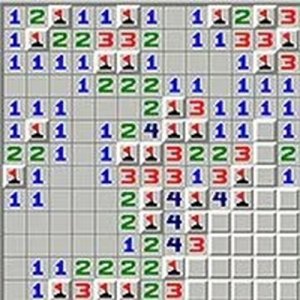
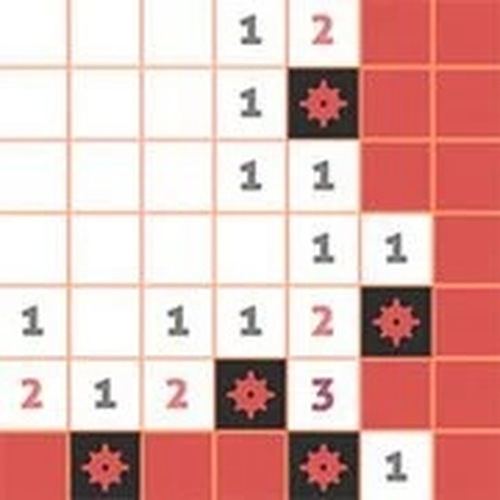
Minesweeper Online is a modern adaptation of the classic logic puzzle that challenges players to locate hidden mines on a grid. The core objective is to reveal all safe squares without clicking on a mine. Numbers on revealed squares indicate how many mines are adjacent, and players use deductive reasoning to flag dangerous spots. This family-friendly puzzle sharpens logical thinking and provides a relaxing mental workout, with random map generation ensuring each game is unique.
How to Play
Players begin by clicking any square to reveal a number, which shows how many mines are in the surrounding eight squares. Using these clues, you deduce which squares are safe and which contain mines. Right-clicking a square places a flag to mark a suspected mine. When a numbered square has the correct number of flags around it, clicking the number reveals all remaining adjacent squares. The game is won when all mines are correctly flagged or all empty squares are opened. Take your time, think carefully, and enjoy the process.
Game Features
Classic logic puzzle gameplay with a fresh, vibrant visual style. The game includes several pre-made levels and a custom level editor for personalized challenges. Every new game generates a different map, ensuring no two sessions are alike. Players can save their progress and resume later. Suitable for players of all ages and skill levels, Minesweeper Online offers a clean, distraction-free puzzle experience that is easy to learn but hard to master.
Tips for Success
Start by revealing a few squares to get a feel for the grid. Use the numbers as clues to identify safe areas and potential mine locations. Mark squares you suspect contain mines with flags to avoid accidental clicks. When a numbered square has the same number of flags around it, you can safely click it to reveal remaining squares. Practice regularly to improve your logical deduction skills and speed. Take breaks if you feel stuck, as a fresh perspective often helps solve tricky puzzles.