What players say
Classic Checkers Board Game delivers a polished version of the traditional board game. The computer opponent is balanced, making matches enjoyable for both newcomers and experienced players. The two-player mode is perfect for family game nights. The clean, distraction-free design and easy controls make it a great choice for anyone looking for a simple yet strategic puzzle game.
About this game
Game Introduction
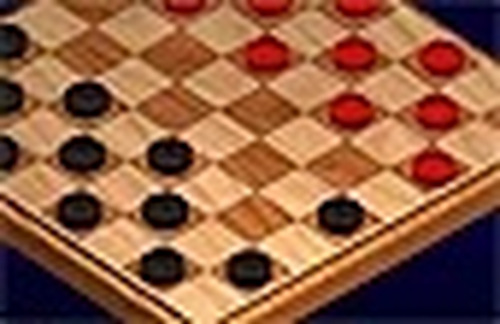
Classic Checkers Board Game is a digital adaptation of the traditional board game that has been enjoyed by families for many years. The game follows standard checkers rules, where two players take turns moving their pieces diagonally across the board. The main objective is to capture all of the opponent's pieces or to block them from making any legal moves. This online version offers a clean and focused experience without any advertisements or pop-ups. Whether you are new to checkers or have played for years, the game provides a satisfying and educational challenge. The computer opponent is designed to be fair, making each match enjoyable for players of all skill levels. You can also play with a friend on the same device, making it a great choice for family game time. The game emphasizes strategic thinking and patience, as each move requires careful consideration of the board position. Classic Checkers Board Game is perfect for those who enjoy puzzle-like strategy games that are easy to learn but offer depth over time.
How to Play
To play Classic Checkers Board Game, first choose your game mode: against the computer or with a friend. On your turn, select one of your pieces by clicking on it. Then click on a valid square to move. Pieces can only move diagonally forward one square. If you can jump over an opponent's piece, you must do so. Multiple jumps are allowed in a single turn. The game highlights valid moves to help you learn. The goal is to capture all of the opponent's pieces or block them from moving. The computer opponent is smart but not unfair, so every game feels balanced.
Game Features
Classic Checkers Board Game includes standard checkers rules with two game modes. Easy click controls that highlight valid moves. Family-friendly design with no advertisements or distractions. A fair computer opponent suitable for all skill levels. Two-player mode for playing with friends and family. Clean visual style that is easy on the eyes.
Tips for Success
To improve your checkers skills, practice regularly to recognize common patterns and traps. Focus on controlling the center of the board to give your pieces more mobility. Plan a few moves ahead and consider your opponent's possible responses. Protect your back row to prevent the opponent from getting king pieces. Use double jumps and multi-jump opportunities to capture multiple pieces in one turn. Stay patient and avoid rushing moves, as careful planning often leads to victory.