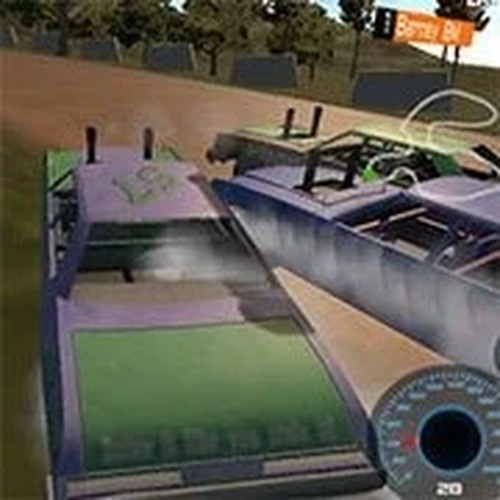
Arcade Speed Racing

Arcade Speed Racing

Developer: Zephyr Core Dev
Published: 1727452800
Updated: 2026-10-01
Racing Sports Arcade Racing

Reviews

Arcade Speed Racing focuses on accessible, fast-paced driving with keyboard controls and a nitro boost mechanic that adds light strategy to each race. Multiple camera views and a respawn option keep the experience approachable, while braking and nitro timing give experienced players room to refine lap times. The family-friendly design and straightforward controls make it a reasonable choice for casual sessions, though players seeking deep simulation or extensive customization will find the scope limited.

About this game

Track Design and Camera Use

Arcade Speed Racing presents a variety of tracks that demand attention to upcoming curves and obstacles. The game includes multiple camera views, and switching between them changes how much of the road ahead you can see. That matters because a view that works on a straight may hide a sharp turn until late. Learning which perspective suits each section of a track is part of the racing process.

Nitro Strategy and Braking

The nitro boost delivers a temporary burst of speed, but it is not unlimited. Activating it on straightaways gives the clearest gain, while using it just before a corner often wastes the advantage. Braking early before sharp corners keeps the car under control, and the game provides a respawn option if you get stuck. These two tools—nitro and brakes—shape the moment-to-moment decisions in every race.

Controls and Accessibility

Standard keyboard controls handle steering, braking, and nitro activation. The layout is simple enough for beginners to pick up quickly, yet responsive enough for experienced players to refine their lap times. A camera-change command and a respawn option round out the control set. The game is designed to be family-friendly and suitable for short casual sessions.

Improving Your Lap Times

Consistent lap times come from track familiarity and disciplined nitro use. Practice each track to learn where turns tighten and where obstacles appear. Use the camera view that gives you the best forward visibility for the section you are driving. Brake before corners rather than during them, and save nitro for stretches where you can hold top speed. Staying focused and avoiding distractions helps translate these habits into faster laps.

Editorial Notes

✅ Compatibility & Testing

• Desktop (Windows 11, macOS Ventura)
• Mobile (iPhone 14, Samsung Galaxy S23)
• Tablet (iPad Pro, Android tablet)
✅Supported browsers: Chrome, Safari, Edge, Firefox (latest versions)
❌ Not supported: Internet Explorer, older browser versions

FAQ

What are the standard keyboard controls in Arcade Speed Racing?
The game uses standard keyboard controls to steer your car. You can apply the brakes when needed to navigate turns, and a nitro boost feature provides a temporary burst of speed. A camera-change command lets you switch views, and a respawn option is available if your car gets stuck. The layout is designed to be easy to learn.
How does the nitro boost work in Arcade Speed Racing?
Nitro boost gives your car a temporary increase in speed when activated. It is best used on straightaways where you can maintain the extra velocity. Using it before a sharp corner often wastes the boost because you will need to brake soon after. Timing nitro activation is a key strategic decision in each race.
Can I change the camera view while racing?
Yes, Arcade Speed Racing includes multiple camera views that you can switch between during a race. Different angles show the track from different perspectives, which can help you anticipate upcoming curves. Finding the view that gives you the best visibility for each track section is part of improving your driving.
What should I do if my car gets stuck in Arcade Speed Racing?
If your car gets stuck, the game provides a respawn option to get you back on track. This is useful when you misjudge a turn or end up in a position where you cannot continue. Using respawn lets you resume racing without restarting the entire session.
Is Arcade Speed Racing suitable for beginners?
The game is designed to be accessible for players of all ages, with straightforward keyboard controls and a simple core concept: drive fast, use nitro wisely, and enjoy the race. Beginners can learn the basics quickly, while experienced players can focus on refining their nitro timing and braking points to improve lap times.
How can I improve my lap times in Arcade Speed Racing?
Improving lap times comes down to track familiarity and disciplined nitro use. Practice each track to learn its turns and obstacles. Brake early before sharp corners to maintain control. Save nitro for straightaways where you can hold top speed. Use the camera view that gives you the best forward visibility, and stay focused to avoid distractions.

Comments

0 comments
U
User
★ ★ ★ ★ ★
Loading comments...

Similar Games

Hill Track Driving Challenge

Racing Driving Hill Track

PLAY NOW

Cycle Thrills 3D Track Run

Racing Driving Acrobatics

PLAY NOW

Stability Duel Arena

Sports Arcade Family

PLAY NOW

Vivid Circuit Dash

3d Vehicle Driving

PLAY NOW

Home Run Swing Showdown

Sports Baseball Arcade

PLAY NOW

Slope Dash Snowboard Racing

Sports Winter Sports Arcade

PLAY NOW

Basket Shot Challenge

Basketball Arcade Sports

PLAY NOW