Guitar Simulator Music Arcade

Guitar Simulator Music Arcade

Developer: Shogun Shift Studio
Published: 1722268800
Updated: 2026-09-30
Skill Music Rhythm

Reviews

Guitar Simulator Music Arcade does one thing and does it without friction: it puts a playable virtual guitar in a browser tab. The realistic sound engine and major-minor chord switching give casual players enough to experiment with, and the absence of downloads or costs makes it easy to try. It is not a teaching tool or a full rhythm game. The main limitation is that progress is self-directed, so players who need goals or feedback may lose interest quickly. Best for short, low-pressure sessions.

About this game

What You Actually Do

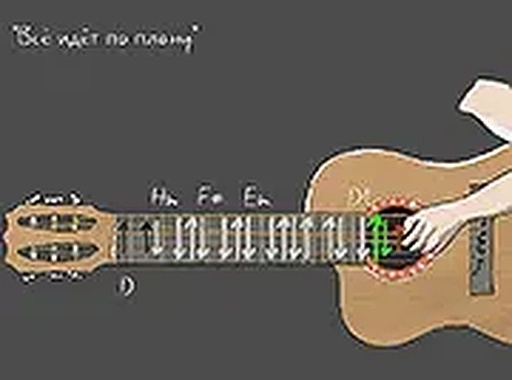
Guitar Simulator Music Arcade puts a virtual guitar on your desktop screen. Your job is simple: produce guitar sounds by strumming the strings, then shape the mood by switching between major and minor chords. There is no song to clear and no score to chase. The interaction is the point. You click or press designated keys to strike the strings, and the sound engine responds with realistic guitar tones. Because major and minor chords carry different emotional weight, the switch is the main creative lever. A progression that sounds bright in major can turn wistful the moment you move to its minor counterpart. That single decision, repeated and varied, is where most of the play time goes.

Controls and Desktop Focus

The game is built for desktop use with a keyboard or mouse. You can strum by clicking the strings directly or by pressing the keys assigned to each string. Chord switching is handled through the same input scheme, so your hands stay in one place while you experiment. This is not a mobile-first design; a computer with a physical keyboard or a mouse gives the most reliable response. Full screen mode is available and worth using, not because it adds features, but because it removes browser clutter and lets you concentrate on timing and chord changes.

Where the Challenge Lives

There is no fail state and no timer. The difficulty is entirely self-directed. Beginners can poke at individual strings and hear what each one does. Players with more guitar familiarity can work on smooth chord transitions, which is the skill that separates a fumbled change from a clean one. Because the game does not grade you, progress looks like fluency: fewer pauses between chords, more deliberate progressions, and a better feel for how major and minor shifts affect a phrase. Rhythm and timing improve through repetition, but only if you are paying attention to when you strike versus when you planned to strike.

Who Gets the Most From It

This suits two groups. The first is casual players who want a musical toy they can open in a browser tab and close without commitment. The second is anyone curious about how chords fit together, since the major-minor switch makes that relationship audible rather than theoretical. It is not a substitute for learning guitar, and it does not claim to be. Treat it as a low-stakes space to hear chord changes and build a feel for rhythm. [IMG_1] The absence of downloads or hidden costs keeps the barrier low, which is the main reason it works as a five-minute break or a longer experimental session.


Editorial Notes

Compatibility

✅ Works on PC & Mobile | Recommended: Chrome / Safari / Edge

FAQ

Do I need to know how to play a real guitar to enjoy Guitar Simulator Music Arcade?
No prior guitar knowledge is required. The game lets you strum strings and switch between major and minor chords without any music theory background. Beginners can explore sounds at their own pace, while players with some guitar familiarity may find the chord switching more intuitive.
Can I play Guitar Simulator Music Arcade on a phone or tablet?
The game is designed for desktop use with a keyboard or mouse. While a mobile browser might load it, the input scheme is built around physical keys and clicking, so a computer gives the most reliable experience. No mobile-specific controls are mentioned in the game's description.
Is there a way to save or record the tunes I create?
The game description does not mention any recording, saving, or export feature. It focuses on live strumming and chord switching in the browser. If you want to keep a progression, you would need to remember it or use separate recording software outside the game.
What is the difference between major and minor chords in this game?
Major chords generally sound brighter and more resolved, while minor chords carry a darker or more melancholic tone. Switching between them changes the emotional character of your progression. The game makes this contrast easy to hear, which is useful for anyone learning how chord quality affects a piece of music.
Does Guitar Simulator Music Arcade cost anything or require a download?
No. The game is free to play directly in your browser with no downloads or installations. There are no hidden costs mentioned in the description. You open the page, and the virtual guitar is ready to use, which keeps the barrier to entry very low.
How can I improve my timing and rhythm while playing?
Regular practice with chord transitions is the most direct route. Try switching between a major and minor chord in a steady loop, paying attention to whether your strum lands when you intend. Full screen mode reduces distractions, and experimenting with different progressions builds a better sense of timing over time.

Comments

0 comments
U
User
★ ★ ★ ★ ★
Loading comments...

Similar Games