💡Block Toggle offers a refreshing take on puzzle platformers with its unique block-toggling mechanic. The game is easy to pick up but provides enough challenge to keep you coming back. It is free, runs smoothly in the browser, and is great for all ages. A solid choice for puzzle fans.
Game Introduction:
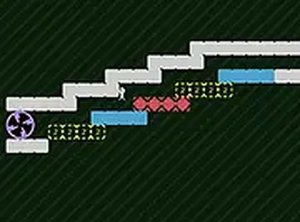
Block Toggle is a creative puzzle platformer that challenges your problem-solving skills. In this game, you control a character who must navigate through levels by toggling blocks on or off. Each block can be switched between active and inactive states, altering the path to the exit portal. The game is designed for desktop play, using keyboard or mouse controls, and runs directly in your browser on Y8. It is completely free to play, with no downloads required, and supports full screen mode for an immersive experience. Whether you're a puzzle enthusiast or a casual gamer, Block Toggle offers a unique twist on platforming that keeps you engaged.
How to Play:
To play Block Toggle, use your keyboard or mouse to move your character through each level. The core mechanic involves clicking or pressing a key to toggle blocks on or off. When a block is on, it becomes solid and can be stood on or used as a platform. When off, it disappears, allowing you to pass through or reveal new paths. Your goal is to reach the exit portal at the end of each level. Plan your moves carefully, as some blocks may need to be toggled in a specific sequence to solve the puzzle. The game is straightforward to learn but offers increasing difficulty as you progress.
Game Features:
Toggle blocks on/off, free to play, desktop only, full screen mode.
Game Conclusion:
Block Toggle is a delightful puzzle platformer that combines simple mechanics with challenging puzzles. It is perfect for players who enjoy brain teasers and want a free, family-friendly game to play online.