What players say
Typewriter Simulator Online Game delivers a pure, stress-free typing activity. The virtual typewriter responds well to clicks, and the lack of timers or goals makes it ideal for unwinding. It is a safe, family-friendly tool that encourages creativity without pressure. Great for short sessions or longer typing practice.
About this game
Game Introduction
Typewriter Simulator Online Word Game is a browser-based educational simulator that recreates the experience of using a classic typewriter. Developed by @adampi and ViktorRKraus, this simple tool allows you to click virtual keys to produce text on screen, just like on a real typewriter. There are no timers, scores, or complex rules—the game focuses purely on the joy of typing itself, making it a peaceful activity for players of any age. It is designed to be completely safe and appropriate for families, with no violent or inappropriate content. Whether you want to practice your keyboard skills or just unwind, this game provides a straightforward way to enjoy the process of putting words together.
How to Play
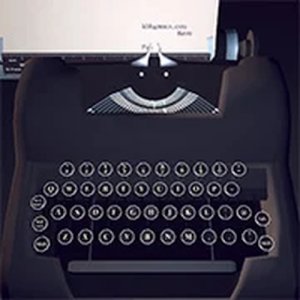
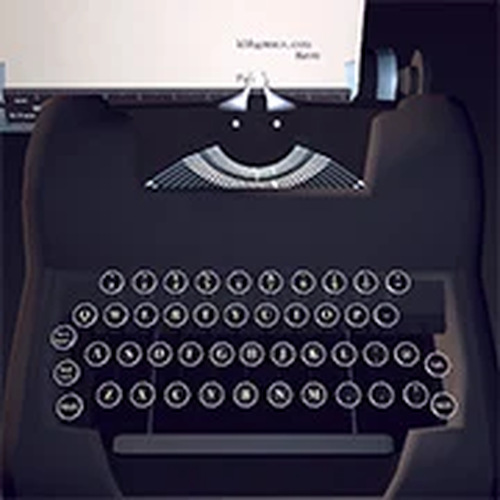
Playing Typewriter Simulator Online Word Game is very easy. When you open the game, you will see a virtual typewriter keyboard on your screen. Simply click on any key to type a letter. The typed letters will appear on the screen, forming words and sentences as you continue. There is no time limit or score to worry about, so you can type at your own pace. The game is all about enjoying the simple act of typing. You can create anything from random letters to full paragraphs. It is a great way to practice your keyboard layout or just have fun creating text without pressure.
Game Features
The game features a clean, easy-to-use interface. Virtual typewriter keys respond to clicks instantly. The game is safe for all ages, with no ads or inappropriate content. It works directly in your browser without any downloads required. The experience is calming and stress-free, perfect for short breaks or longer creative sessions. There are no objectives, so you can type freely and explore your own ideas. The simulator may include a visual design reminiscent of a vintage typewriter, adding to the nostalgic feel.
Tips for Success
Since the game has no goals or scoring, success is defined by your personal enjoyment. To get the most out of the experience, try typing without worrying about mistakes—just let the words flow. You can use the game to practice touch typing or to improve your familiarity with keyboard layouts. For a more creative session, consider typing a short story or poem. The key is to relax and enjoy the process of typing at your own pace.