
Core Gameplay Loop
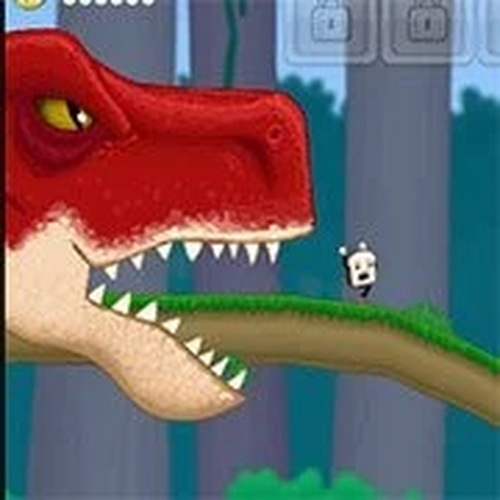
In Cereal Sprint: Dino Escape, players control a lively piece of breakfast food as it races across ancient terrain. The primary goal is to travel as far as possible while avoiding a persistent dinosaur that follows close behind. Obstacles such as rocks, pits, and flying reptiles appear randomly, requiring quick taps or key presses to jump, slide, or swerve. Each successful dodge keeps the character moving forward, and the pace gradually increases, demanding sharper reflexes over time.
Visual Style & Atmosphere
The game presents a bright, cartoon-like prehistoric world filled with lush greenery, volcanoes, and rivers. Characters and obstacles are designed with soft, rounded shapes and vibrant colors, creating a welcoming look suitable for younger players. The background music is upbeat and cheerful, while sound effects for collecting items and avoiding hazards provide clear audio feedback without being jarring. This combination ensures the experience remains lighthearted and engaging.
Collectibles & Power-Ups
Scattered along the path are various bonus items that appear in predictable patterns. Gathering these items adds points to the player's score, and some provide temporary advantages like a brief shield that protects against one collision. Berries, fruits, and other themed collectibles encourage players to take slightly risky paths for higher rewards. Learning when to go for these bonuses versus staying safe becomes a key part of improving performance.
Difficulty Progression
The challenge ramps up naturally as the run continues. Early segments are slow and forgiving, allowing new players to learn controls and obstacle patterns. After a certain distance, the dinosaur speeds up, obstacles become more frequent, and the terrain introduces new hazards like narrow ledges or moving barriers. This gradual increase keeps the game accessible for beginners while still offering a test for experienced players aiming for high scores.
Platform & Accessibility
Cereal Sprint: Dino Escape is designed to run smoothly on both desktop browsers and mobile devices. Touch controls are responsive and clearly labeled, while keyboard users can rely on arrow keys or WASD. The interface is minimal, with no complicated menus or settings, making it easy to start a new run instantly. This cross-platform compatibility ensures that players can enjoy the game on their preferred device without any loss of quality.








Comments
0 comments