What players say
Planetarium 2 offers a detailed and interactive way to explore the solar system. The ability to move planets and add comets provides endless experimentation. Its realistic physics engine helps users understand orbital mechanics in a hands-on manner. The game is highly replayable, as each new setup creates a unique learning experience. It is a valuable tool for students and space enthusiasts alike.
About this game
Game Introduction
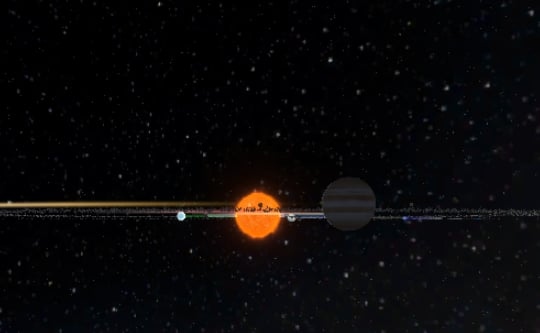
Planetarium 2 is an immersive space simulation game that invites you to explore our solar system in a realistic 3D environment. The core objective is to observe and interact with planets such as Earth, Mars, Saturn, Venus, and Jupiter as they orbit the sun. What makes this game unique is its hands-on approach to astronomy—you can move planets, add asteroids or comets, and see how these changes affect their paths. It is designed for anyone curious about space, from students and teachers to casual enthusiasts, offering a mesmerizing way to learn about planetary motion and the wonders of our galaxy.
How to Play
In Planetarium 2, players typically use mouse controls to interact with the solar system. You can click and drag planets to new positions and watch their orbits adjust in real time. The game also allows you to add objects like asteroids and comets to see their gravitational effects. A dynamic camera lets you zoom in and out and view the universe from any angle, making exploration intuitive. The controls are simple and accessible, enabling players of all ages to start experimenting right away. By adjusting planetary positions and adding new objects, you can create your own unique solar system configurations.
Game Features
Realistic 3D graphics bring the solar system to life, with detailed representations of planets and their orbits. The game includes various simulation tools that may allow you to adjust gravity and object properties. You have the freedom to design unique planetary systems, encouraging creativity and experimentation. A dynamic camera system lets you view the cosmos from any perspective, enhancing the immersive experience. The game responds in real time, so you can see the immediate impact of your changes, making it both educational and entertaining.
Tips for Success
To get the most out of Planetarium 2, start by observing the default solar system to understand how planets naturally orbit. Experiment with small adjustments first—move a planet slightly and note how its path changes. Try adding asteroids or comets to see how they interact with larger bodies. Use the camera controls to explore different angles, which can help you spot interesting orbital patterns. Practice regularly to become familiar with the simulation tools, and don't be afraid to create wild configurations—the game is a sandbox for learning through trial and error.